Vuel Invites: how the friend-invite text works
Vuel is a personal AI assistant app for iPhone, operated by Vuel LLC. Vuel Invites is our referral program: an existing Vuel account holder personally invites a friend, and Vuel sends that friend a single, one-time promotional invitation text on the inviter's behalf, via our messaging provider (Twilio). This page documents the complete flow, because the invitation form lives inside the Vuel iOS app behind a sign-in and can't otherwise be viewed publicly.
This program is separate from SMS Updates, the recurring program in which Vuel texts an account holder's own verified number. Vuel Invites messages go to the invited friend, exactly once per invitation, from a dedicated toll-free number used only for invitations.
How an invitation is sent
- A signed-in Vuel user opens More → Invite Friends in the iOS app. Each user has a small, fixed number of invites.
- They type their friend's name and mobile number into the invitation form. Vuel never imports address books, never uses purchased or uploaded contact lists, and only ever texts numbers individually entered on this form.
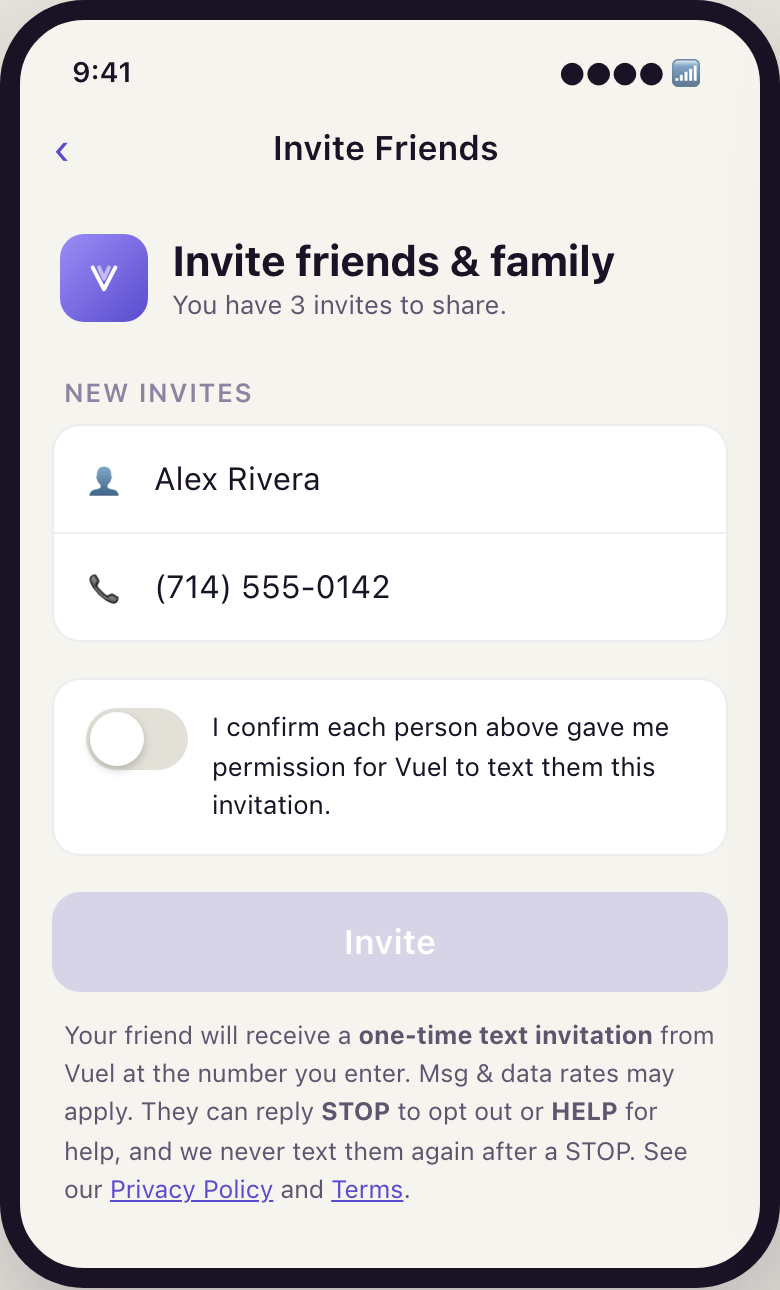
- Before anything can be sent, the user must turn on an explicit permission attestation — off by default — confirming that each person listed gave them permission to be texted. The Invite button stays disabled until it is on, and it resets to off after every batch, so each invitation carries its own fresh attestation.
- Vuel records that attestation server-side, one row per invited number — who attested, which number, the exact disclosure wording they agreed to, and when. The record is written in the same database transaction that creates the invitation, and the sender refuses to send any invitation that has no attestation on file.
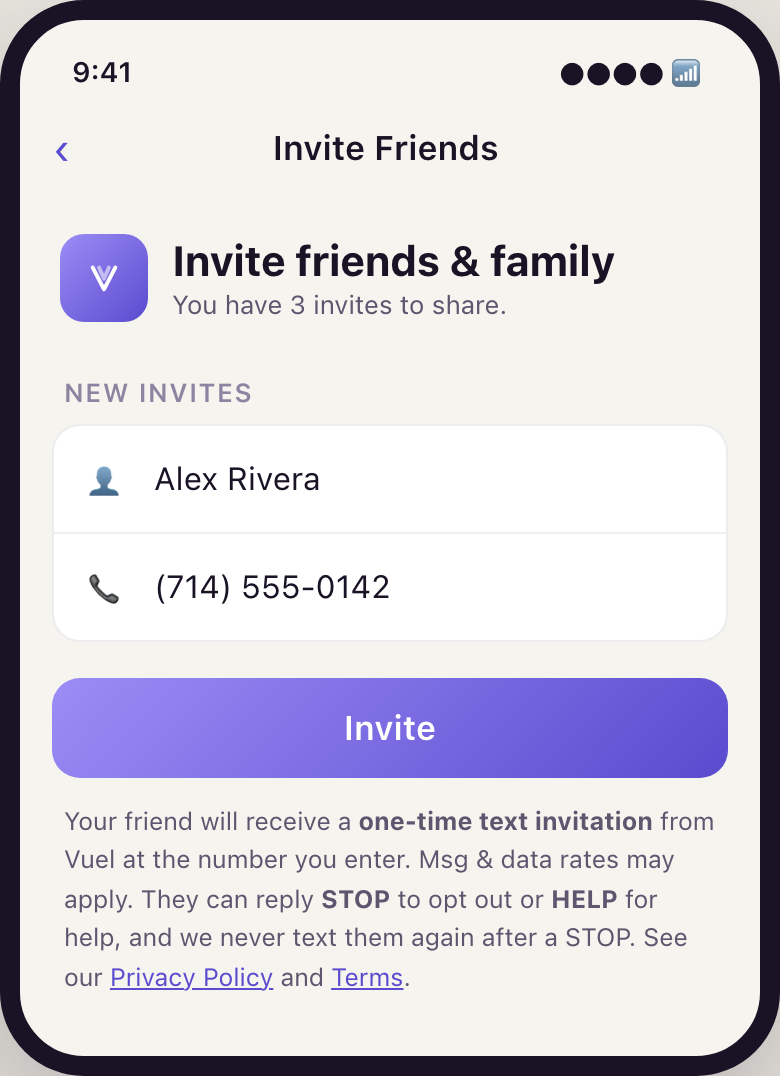
- The disclosure below sits directly under the Invite button at the point of send. Tapping Invite sends exactly one invitation text to that friend — nothing recurs, and there are no follow-ups or reminders.
The permission attestation, verbatim
This control is off by default and must be switched on before the Invite button becomes tappable:
I confirm each person above gave me permission for Vuel to text them this invitation.
The disclosure, verbatim
This is the exact text displayed to the inviting user at the point of send:
Your friend will receive a one-time text invitation from Vuel at the number you enter. Msg & data rates may apply. They can reply STOP to opt out or HELP for help, and we never text them again after a STOP. See our Privacy Policy and Terms.
The message, verbatim
Every invitation follows this template — it names the inviting user, identifies Vuel, links our site, and carries opt-out and help language:
Hi Alex, Dang invited you to try Vuel, a personal AI assistant. Sign up at https://www.vuel.ai with invite code VUEL123. Msg & data rates may apply. Reply STOP to opt out, HELP for help.
Screenshots
The invitation form as it appears in the Vuel iOS app (pre-release build; the shipped flow matches these screens). No sign-in is required to view this page.
Opting out and getting help
- Reply STOP to the invitation to opt out — that number is suppressed immediately and permanently across all future Vuel invitations, no matter who tries to invite it.
- Reply HELP for help, or email support@vuel.ai.
- Do nothing, and nothing further happens — an invitation is a single message with no follow-ups or reminders.
One message per invitation. Message and data rates may apply. Mobile numbers and invitation data are never shared with or sold to third parties for their marketing; see the Privacy Policy (https://www.vuel.ai/privacy.html) and Terms (https://www.vuel.ai/terms.html).